Client Finder
Ask for clients, out loud if you like, and hear back up to ten businesses worth approaching, and why.
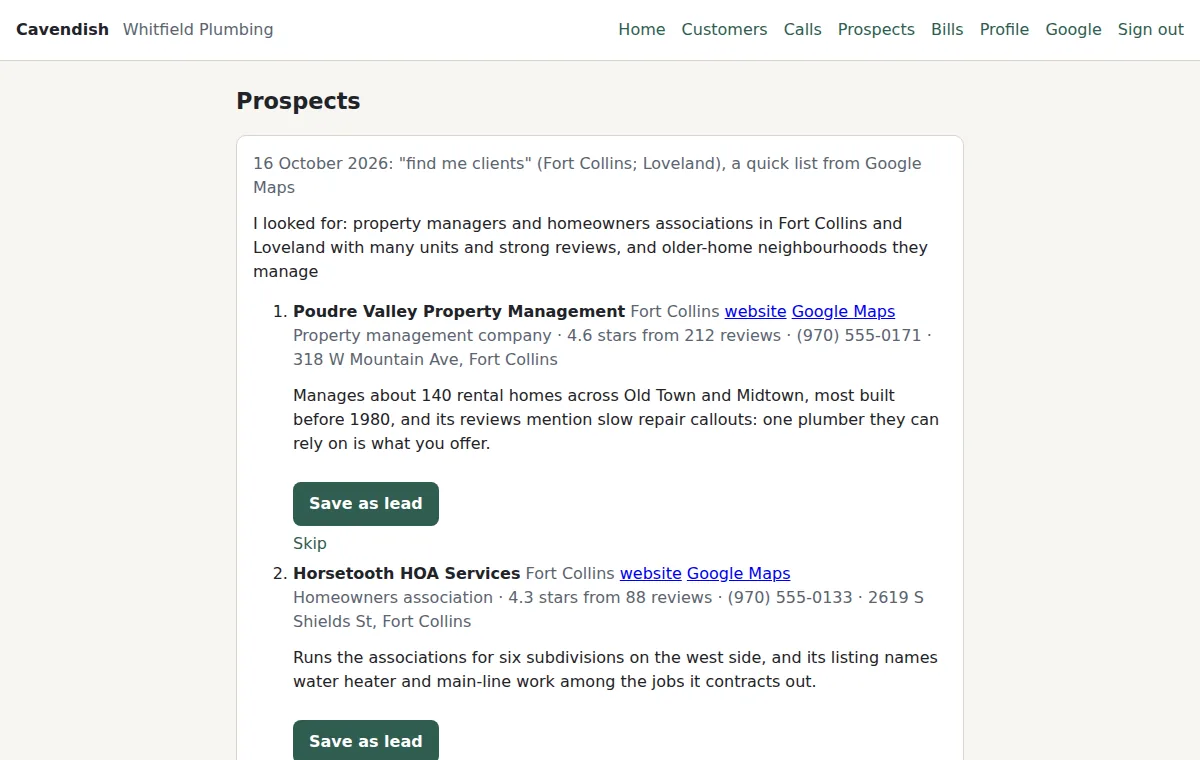
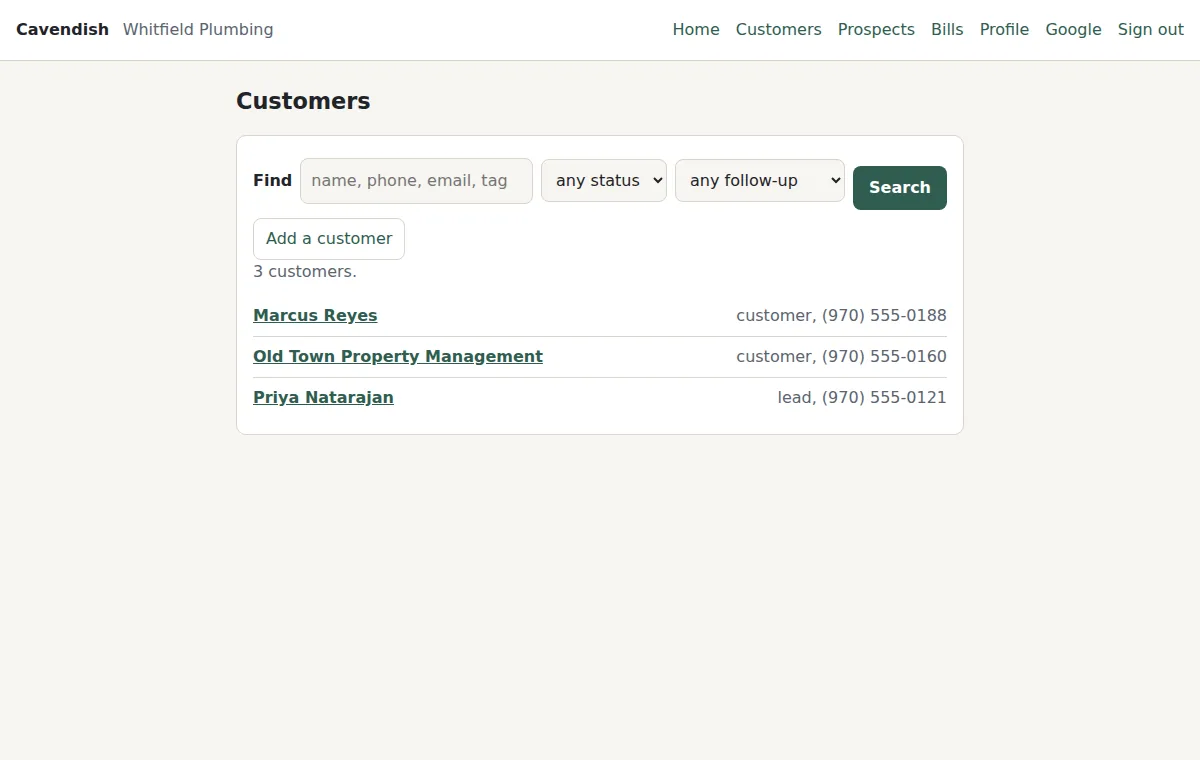
Part of Cavendish. The Client Finder is the part of Cavendish that looks for new clients. From your business profile, what you sell, who your ideal customer is, who is not a fit, and where you work, it searches Google Maps listings, and the web when you ask it to dig deeper, and reads back up to ten businesses worth approaching, each with a sentence on why. The ones you keep become leads in the customer book with their phone, address, and email. It contacts no one.
What it looks like
Real pages from a private copy of Cavendish, with sample data loaded. Nothing is mocked up.
What it does
- Two kinds of search. A quick one searches Google Maps listings and reads back in under half a minute, with each business's kind, rating, phone, and address straight from Google. A thorough one, "dig deeper", searches the web as well for what a listing cannot show: a new location, hiring, news. It takes a minute or two.
- It starts from your profile, not a keyword. Cavendish decides first which signs mark a good fit for your business, and your own service is never a search term: nobody posts that they lack a plumber.
- A line to correct. Every list begins with what it looked for. "Look for practices that just opened instead" is a new ask, and the next list looks for that.
- Say which to keep. "Save 2 and 5" puts them in the customer book as leads, tagged prospect, with the website, the listing, and why it fits in the notes. A business from Google Maps is saved with its phone and address, and an email read from its own website. "Skip 3" and it is never shown again. "More like 4" starts a new list from that example.
- Ask by voice, by message, or from your private site: the Prospects page has a Find clients box, with Quick or Thorough to choose. Lists are kept there for 30 days, with Save as lead and Skip on each business.
- A list is who is worth a conversation. A business on it may already have what you sell; nothing outside says, so Cavendish does not claim to know. Where a website does show it, that business is left off.
- Businesses already in your customer book, ones you have skipped, and closed ones are left off.
- It contacts no one. Writing to a business is the usual draft, read back, and your yes, once it is in the book with an address.
- Limits: up to ten on a list, one search at a time, 25 searches a day. Nothing to set up: it uses the model account your copy already has.
Who it is for
Owners of small businesses whose next customers are other businesses, or anyone a Google Maps listing can find: property managers for a plumber, practices for a bookkeeper, restaurants for a sign maker.
How it works
- First, fill in the business profile: what you sell, who your ideal customer is, who is not a fit, where you work.
- Then, ask: "Find me clients", or "Find property managers around Loveland who might need a plumber". Or type it into the box on your Prospects page.
- Next, listen to the list, and correct the first line if it looked for the wrong thing.
- After that, say which to save and which to skip. The saved ones are leads in the customer book, with a follow-up when you set one.
Pricing
Part of Cavendish, and priced with it. Each copy runs on its own model account, so what a search costs to run is visible. Ask us for a quote for your own copy.
A list is who is worth a conversation, judged by what can be seen from outside a business. A business on it may already have what you sell. The finder contacts no one; the conversation is yours.