Cavendish
Your business's own assistant. Say it, text it, or email it; Cavendish does the admin and reads back before anything leaves.
Set up for each business by us. Cavendish is a private assistant that each business gets its own copy of, on its own server with its own memory. Talk to it by voice from the phone app, by WhatsApp, or by email. It keeps the books in Cavendish Ledger, files receipts and bills, keeps the customer book, finds new clients worth approaching, searches your Gmail and Drive, and sends email for you after reading it back. Anything that sends or spends waits for your yes.
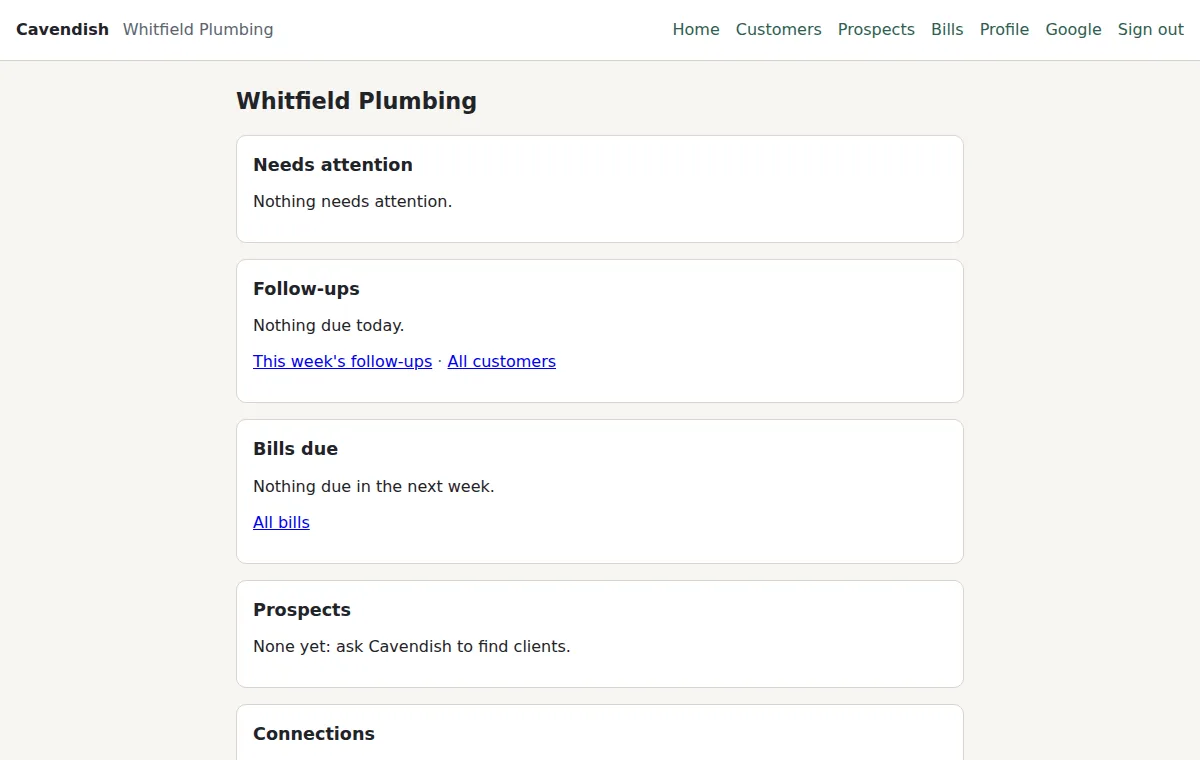
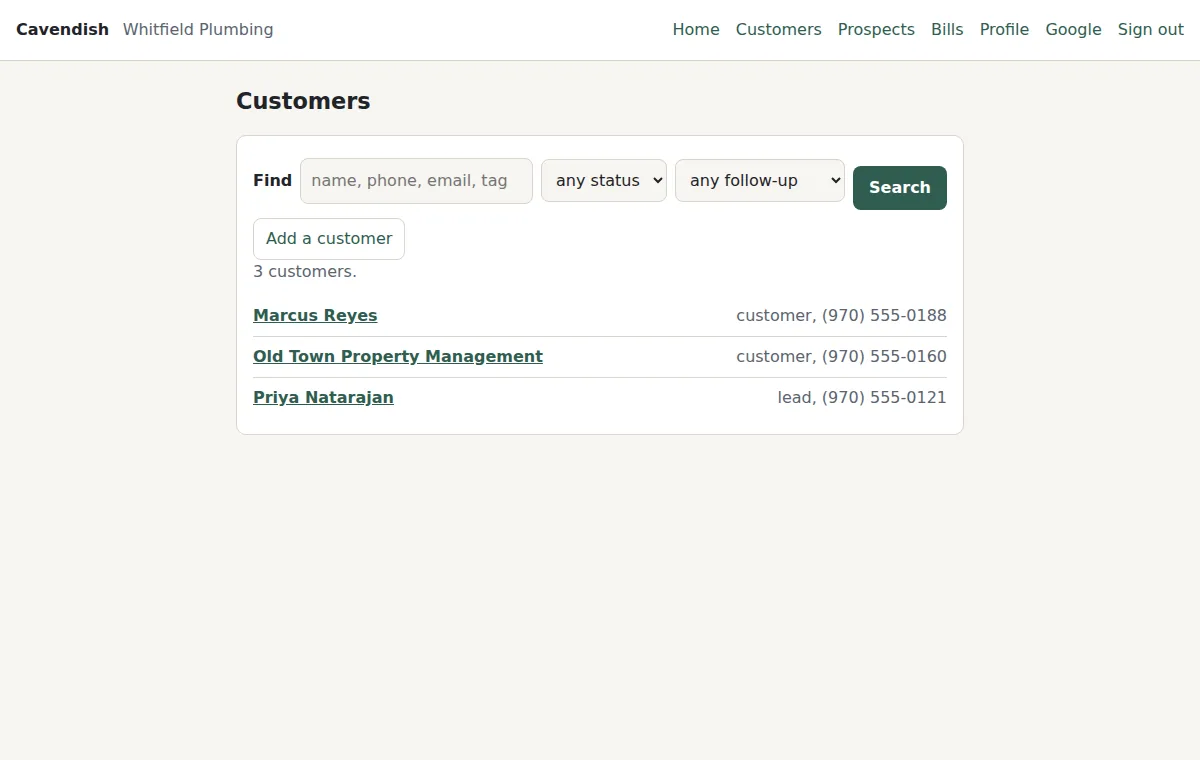
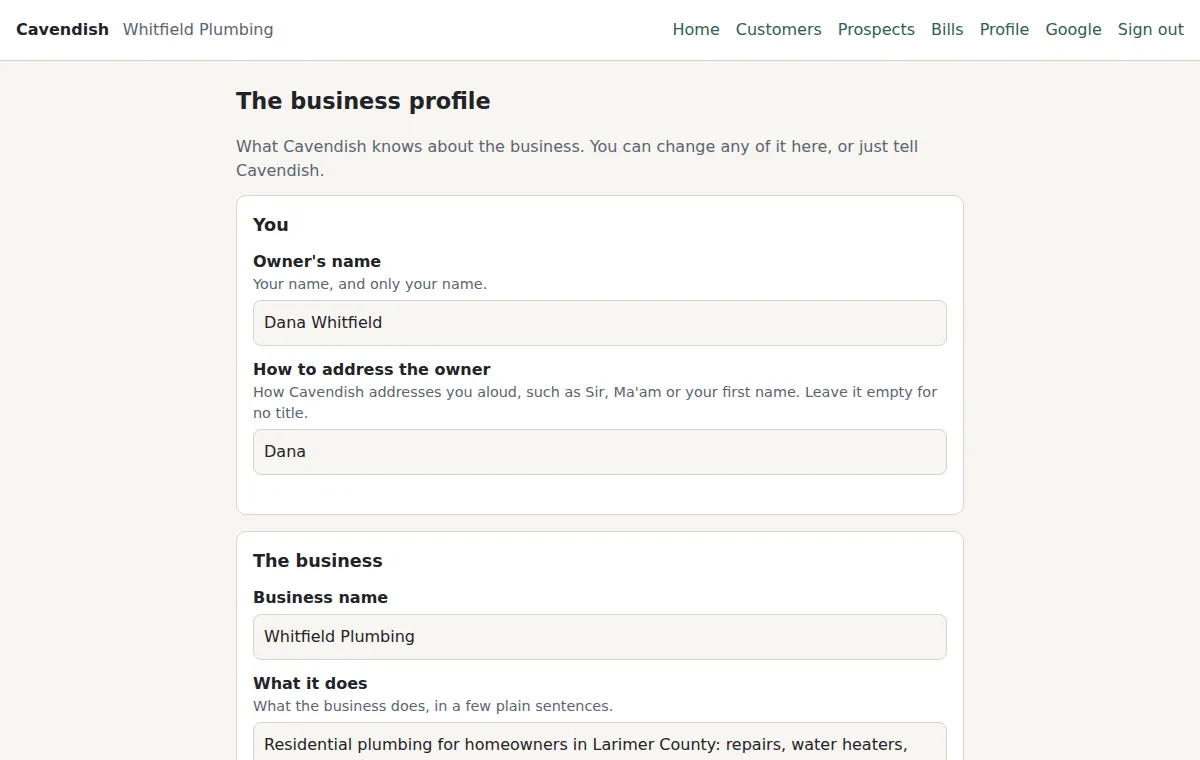
What it looks like
Real pages from Cavendish, with sample data loaded. Nothing is mocked up.
What it is made of
- Cavendish Ledger. The books, the tax estimate, invoices, and the year-end package. Also usable on its own in a browser.
- Receipt and bill inbox. A photo of a receipt becomes a ledger expense with the file attached; invoices wait on the bill list until you say they are paid.
- Customer book. Customers and leads, their history, and who to follow up with and when.
- Client finder. Google Maps listings and web research from your profile, read back as businesses worth approaching. It contacts no one.
- Email and Drive. Searches your Gmail and Google Drive, read-only, and sends email after reading the draft back.
- Memory. A day in view, 90 days searchable, and the facts you ask it to keep.
- Private pages. A password-protected site for your copy, readable on a phone.
- The phone app. Tap to talk, or say "Hey Cavendish" with the phone locked. Type to it, paste it links, or send it pictures and PDFs.
What it does
- Reach it the way you already work: speak to the phone app (it listens for "Hey Cavendish" with the phone locked), message it on WhatsApp, or email it. All three share one conversation.
- The books: say "lunch with a client, 42 dollars" and it is in Cavendish Ledger, categorised, with the tax line it feeds. Ask for the year's totals, the next estimated payment, or the advisor's ranked moves.
- Receipts and bills: send a photo or PDF of a receipt and it becomes a ledger expense with the file attached. An invoice goes on the bill list; say it is paid and the expense is recorded with the invoice.
- Money: balances from the banks and cards linked to the Ledger, each card's due date, recurring charges, and what needs attention. Anything urgent, such as a payment due within three days, is emailed once.
- The customer book: who your customers and leads are, how to reach them, what has happened with each, and who to follow up with and when.
- The client finder: ask for clients, out loud if you like, and it searches Google Maps listings from your profile and reads back up to ten businesses worth approaching and why, in under half a minute. Say "dig deeper" and it researches the web as well. The ones you keep become leads with their phone, address and email. It contacts no one.
- Gmail and Google Drive search, read-only, connected by signing in on Google's own screens.
- Sending email: it drafts, reads the draft back, and sends only when your next message says yes.
- Memory: the past day always in view, a searchable log of every exchange kept for 90 days, and the facts you tell it to remember. Passwords and card numbers are blanked before anything is written.
- A business profile it reads on every message: who you are, what the business does and sells, who its customers are, and the tone to write in.
- Private pages for your copy, behind a password: the profile, the customer book, bills, prospects, and which connections are set up. Plain pages that work on a phone, with no scripts.
- Limits held in code, not just in instructions: a deletion or an email happens only when your own next message says yes, and an email or web page it reads can never tell it what to do.
Who it is for
Owners of small businesses who are also the office: the trades, practices, studios, and shops where one person answers the phone, keeps the books, and chases the bills.
How it works
- First, we set up your copy: its own server, disk, mailbox, keys, and page password. Nothing is shared with any other business, or with us.
- Then, you fill in the business profile on your private page, or just tell Cavendish about the business.
- Next, connect what you use: Google for Gmail and Drive, the Ledger for the books, WhatsApp or the phone app to talk to it.
- After that, ask it things. It does ordinary work itself, hands bigger jobs to a larger model, and reads back anything that would send or spend before doing it.
Pricing
Priced per business. Each copy runs on its own server with its own mailbox and its own model account, so what it costs to run is visible and capped. Ask us for a quote.
Cavendish reads back and waits for your yes before it sends an email, deletes a record, or does anything else that leaves your hands. It can still misunderstand, so read what it reads back.