Cavendish Ledger
Your expenses, your bank feeds, and your tax bill, in one ledger.
Part of Cavendish. Cavendish Ledger is the part of Cavendish that keeps the books. It holds an expense and income ledger through the year, maps every transaction to the line of the US federal return it feeds, shows your estimated tax any day you ask, plans quarterly payments, bills your clients, and at year end produces a filing package your preparer can work from. Tell Cavendish an expense and it lands here; or use the Ledger on its own in a browser.
What it looks like
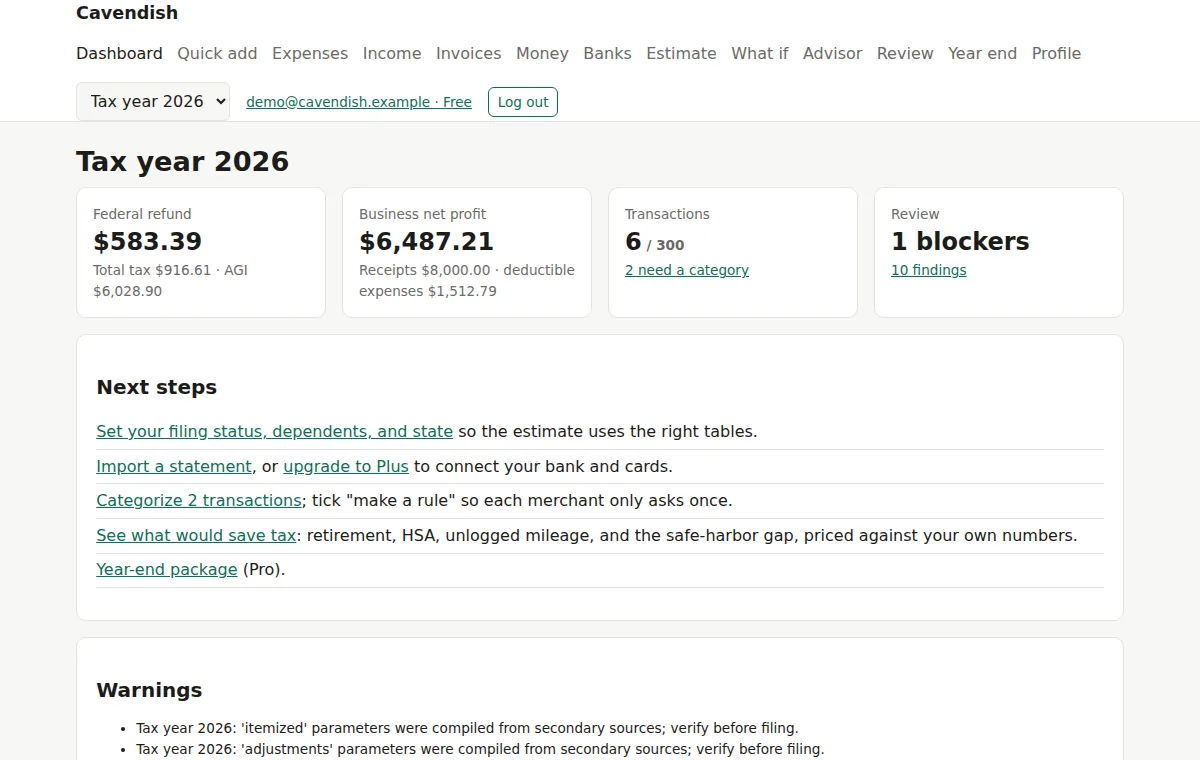
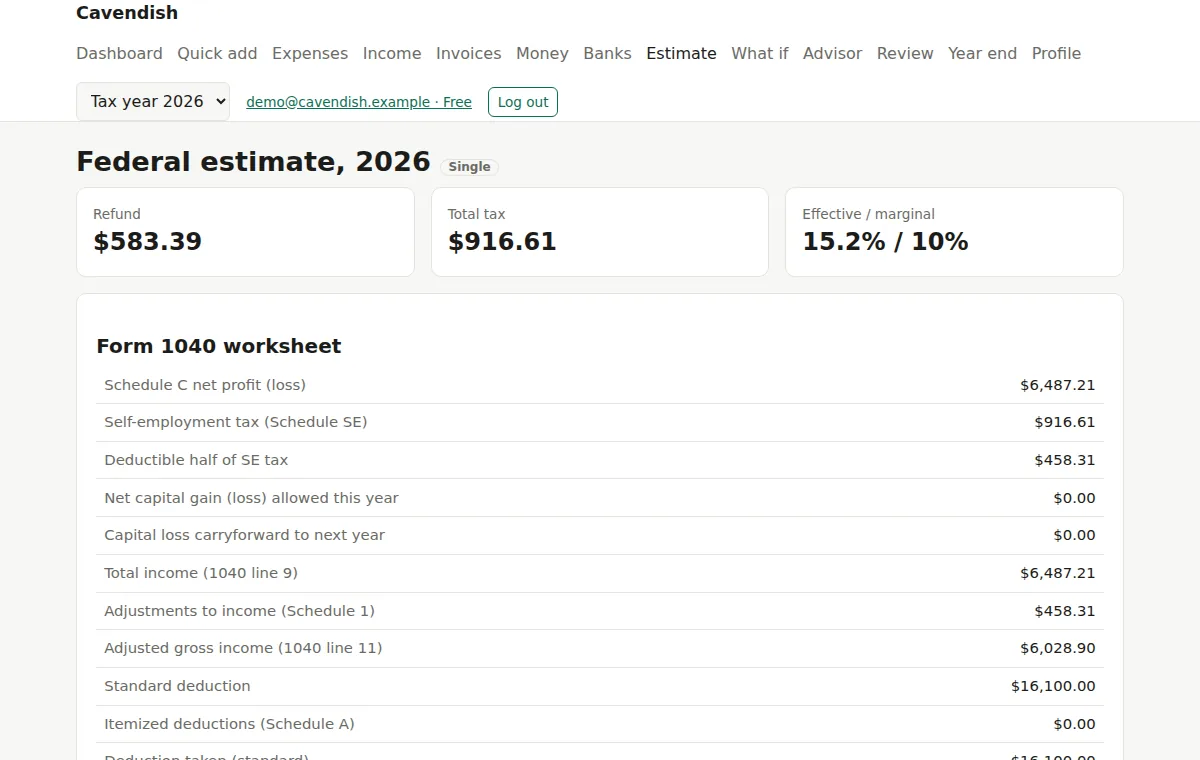
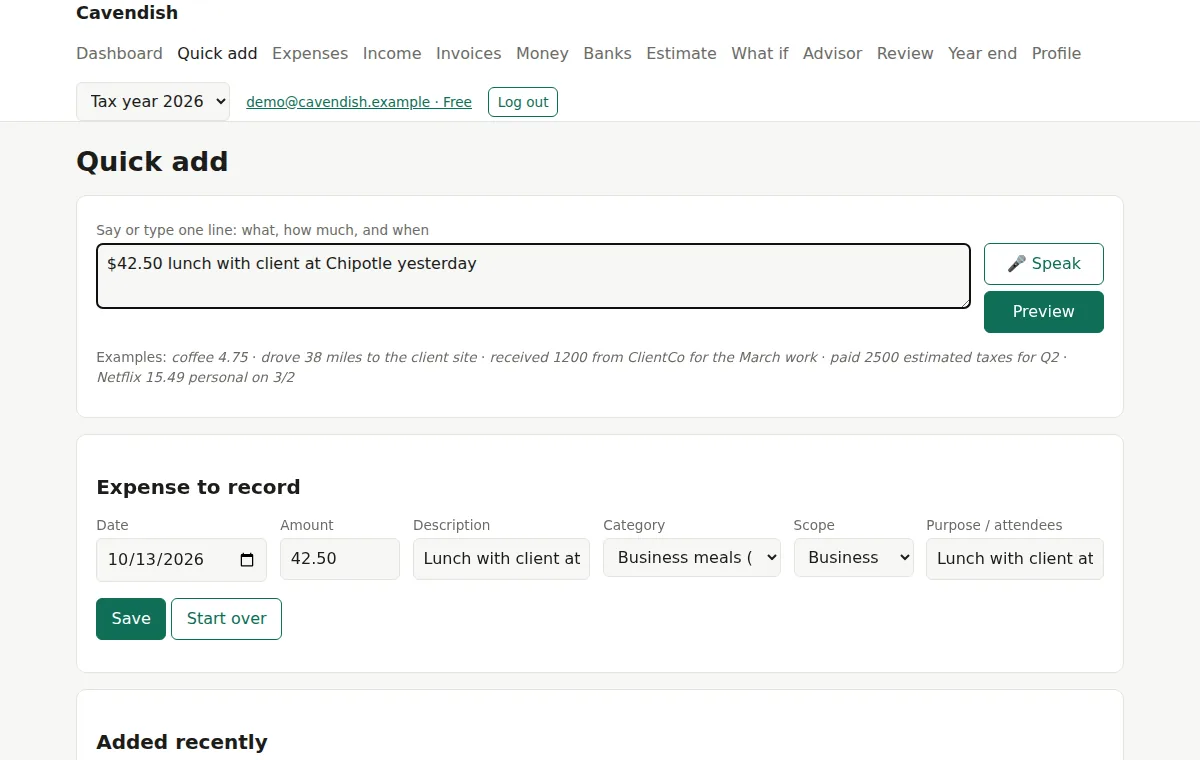
Real pages from Cavendish Ledger, with sample data loaded. Nothing is mocked up.
What it does
- Part of Cavendish: tell the assistant an expense, a trip, or a payment and it is recorded here. Or use the Ledger on its own in a browser.
- Connect checking, savings, and credit cards through a read-only feed, or import statements as CSV.
- Rules learn your merchants, so the same coffee shop never asks twice.
- A Form 1040 worksheet that updates as you go: Schedule C, capital gains, deductions, credits, and self-employment tax.
- Quarterly estimated-tax planner with safe-harbor checks.
- Invoices with payment tracking; each payment lands in the ledger as income with one click.
- Balances, card due dates, fees, duplicates, and new subscriptions, checked from the same feed.
- A tax advisor that ranks the moves that keep the most money after tax, each with its legal authority and the records to keep.
- Year-end package: 1040 worksheet, Schedule C, Schedule A inputs, capital gains, mileage log, payments, and a checklist.
- Quick add on your phone: one typed or spoken sentence becomes a ledger entry.
Who it is for
Freelancers, contractors, and owners of small businesses who file a US federal return and want to know where they stand before April.
How it works
- First, link your accounts or import statements. The Ledger never logs in to a bank and never asks for the permissions that move money.
- Then, fix what the rules missed, once. Add a rule and that merchant is categorised forever.
- Next, check your estimate, what-if scenarios, and the advisor whenever you like, in the browser or by asking Cavendish.
- After that, at year end, review the blockers, close the year, and hand the package to your preparer or tax software.
Pricing
Prices in US dollars. Pay monthly or yearly. Cancel any time.
| Plan | Price | What it includes |
|---|---|---|
| Free | $0 | Track expenses, import statements, and see your federal estimate.
|
| Plus | $7 a month or $59/year |
Connect your bank and cards. Everything syncs.
|
| Pro | $15 a month or $129/year |
Year-end processing and state tax, ready for your preparer or software.
|
Accounts are opened by invitation while we bring on our first customers. Ask for one and we will reply personally.
Cavendish Ledger produces worksheets and estimates. It does not file returns, and its figures must be verified against the IRS forms and instructions for the year, or with a tax professional.